
INDEXIA BLOG
How to Create a Book Index: A Complete Step-by-Step Guide
Figuring out how to create a book index is one of the most underestimated challenges in the publishing process. You have spent months or years writing the manuscript, and now you face a task that is equal parts tedious and intellectually demanding: building a navigational map of every important idea in your book. This guide walks through the full process, from manual indexing to modern tools that can cut the work from weeks to minutes.
What Is a Back-of-Book Index?
A back-of-book index is an alphabetical listing of the key terms, names, concepts, and topics discussed in a nonfiction work, along with the page numbers where each appears. Unlike a table of contents, which reflects the author's structure, an index reflects the reader's needs. It answers the question: "Where in this book can I find information about X?"
Every serious nonfiction book needs one. Academic publishers require them. Readers of reference books, textbooks, and professional titles depend on them. A well-crafted index can be the difference between a book that sits on a shelf collecting dust and one that gets picked up and used repeatedly.
Why Your Book Needs an Index
If you are writing nonfiction, skipping the index is not really an option. Here is why:
- Reader navigation. Readers rarely consume nonfiction cover to cover. They jump to what they need. An index makes that possible.
- Publisher requirements. Most academic and professional publishers will not accept a manuscript without an index. Many will hire an indexer and bill you for it if you don't provide one.
- Discoverability. Search engines like Google Books index the text of back-of-book indexes. Terms that appear in your index can drive discoverability.
- Professionalism. A missing or poorly made index signals to readers and reviewers that corners were cut. A strong index signals the opposite: that the author cared enough to make the book genuinely useful.
The Traditional Approach to Book Indexing
Before we get into the steps, it helps to understand what the traditional approach looks like and what it costs.
Professional indexers read your entire manuscript, identify every indexable concept, record the page references, build hierarchical subentries, add cross-references, and format the result according to style guidelines (usually the Chicago Manual of Style). This is skilled, detailed work. A trained indexer typically charges between $3 and $8 per indexable page, meaning a 300-page book could cost $900 to $2,400.
Even if you do it yourself, expect to spend 10 to 40 hours depending on the complexity and length of your book. Most authors underestimate this dramatically.
How to Create a Book Index: 7 Steps
Whether you are indexing manually, using dedicated software, or leveraging AI, the fundamental process follows the same logic. Here are the seven steps to write a book index from start to finish.
Step 1: Read Your Manuscript with Indexing in Mind
Before you mark a single term, read through your manuscript (or re-read it) with a specific lens: what would a reader look for? This is not the same as reading for content. You are reading for findability. Pay attention to:
- Key concepts and arguments
- Names of people, places, organizations, and works
- Technical terms and their first appearances
- Themes that recur across multiple chapters
Some indexers recommend reading the entire book once without marking anything, just to internalize the structure. Others prefer to mark as they go. Either approach works, but do not skip this step. Jumping straight into term extraction without understanding the full arc of the book leads to an index that is scattered and inconsistent.
Step 2: Identify Your Main Terms
Now go through the text and select the terms that belong in your index. A good rule of thumb: if a reader might look up this concept, it belongs. If it is mentioned in passing without substantive discussion, it probably does not.
Be specific. "Economics" as a standalone entry is rarely useful. "Economic inequality, effects on rural communities" is. Think about how your reader would actually search.
For a typical 300-page nonfiction book, expect to identify somewhere between 500 and 2,000 terms and subentries in the final index. Academic texts tend toward the higher end.
Step 3: Record Page References
For each term, record every page on which it appears substantively. The key word here is "substantively." A passing mention of a name in a list does not warrant a page reference. A paragraph discussing that person's contribution does.
If you are working from a PDF with final page numbers, this is straightforward. If you are working from a word processor before final layout, you will need to come back and update page numbers after typesetting, which is one of the most painful parts of manual indexing.
Page ranges (e.g., "climate change, 45-52") indicate sustained discussion. Scattered individual pages (e.g., "climate change, 12, 45, 78, 134") indicate the topic appears throughout the book but in shorter references.
Step 4: Create Subentries for Terms with Many References
Any term with more than five or six page references should be broken into subentries. A reader looking at "education, 12, 15, 23, 45, 67, 89, 102, 134, 156, 201" has no idea which page discusses what. Subentries solve this:
education
  funding disparities, 45-52
  higher education reform, 89-95
  impact on economic mobility, 134-140
  K-12 curriculum changes, 23-28
  standardized testing, 67-72
Good subentries are concise but informative. They help the reader decide which page to turn to without re-reading the entire section.
Step 5: Add Cross-References
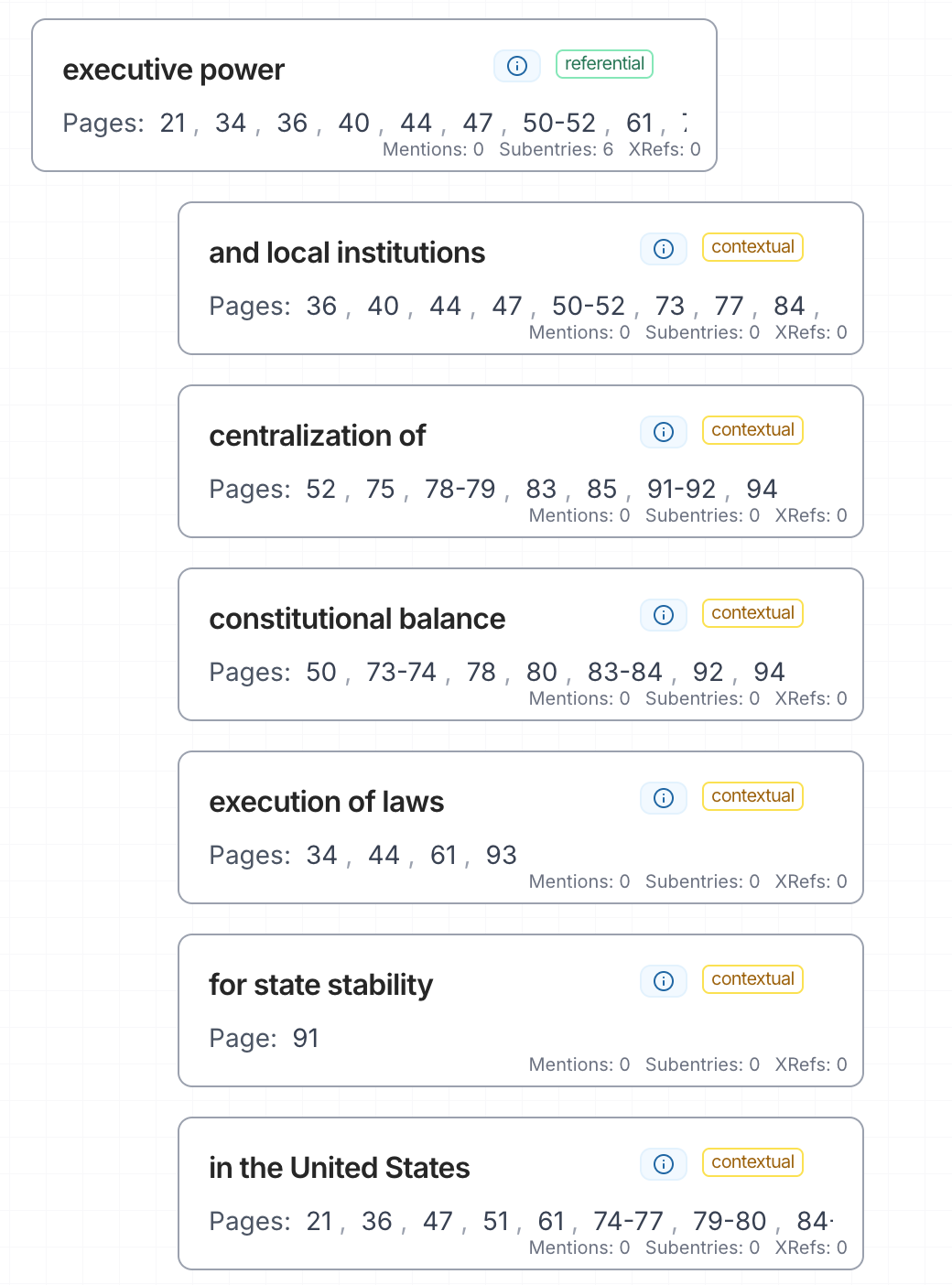
Cross-references connect related terms and guide readers between entries. There are two types:
- "See" references direct the reader from an unused term to the preferred one. Example: "Global warming. See climate change"
- "See also" references point to related entries. Example: "Climate change. See also greenhouse gases; sea level rise"
Cross-references are what transform a flat list of terms into a navigational network. They reflect the intellectual structure of the book and help readers discover connections they might have missed.
Step 6: Alphabetize and Format
Once your entries are complete, alphabetize them according to your chosen style guide. Most English-language publishers follow the Chicago Manual of Style (CMOS), which specifies letter-by-letter alphabetization, ignoring spaces, hyphens, and prepositions.
Formatting conventions include:
- Main entries in lowercase (unless proper nouns)
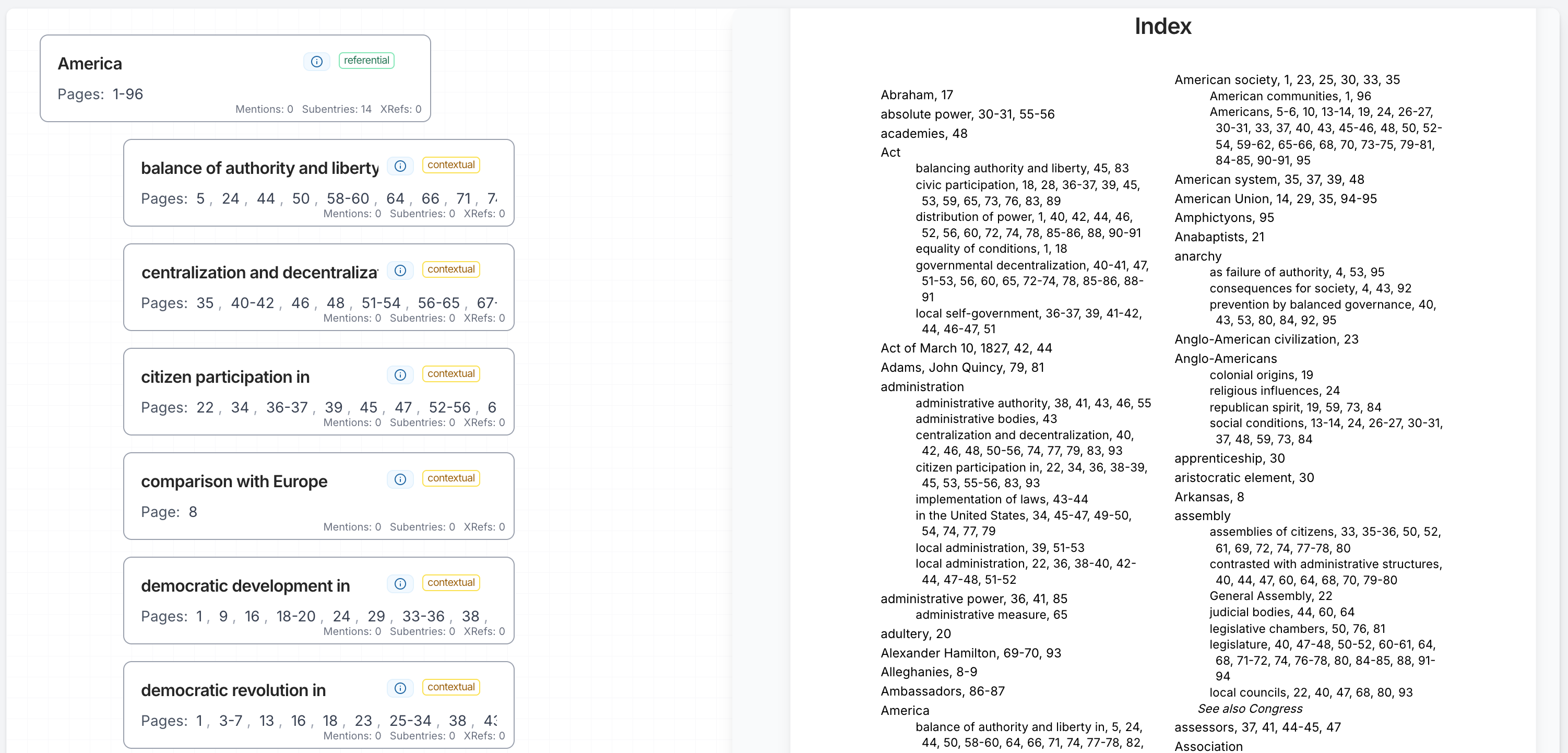
- Subentries indented beneath their parent term
- Page ranges formatted according to CMOS rules (e.g., "132-35" not "132-135" for numbers above 100)
- Consistent punctuation throughout
If your publisher has a house style, follow it. If not, CMOS is the safe default.
Step 7: Review and Refine
No index is right on the first pass. Review yours with these questions:
- Are there terms a reader would expect to find but cannot?
- Are there entries with too many undifferentiated page references that need subentries?
- Are cross-references pointing to entries that actually exist?
- Is the formatting consistent throughout?
- Have you avoided "orphan" entries (terms with only one page reference that could be folded into a broader entry)?
If possible, have someone else review the index. Fresh eyes catch gaps that the author, deep in the material, will miss.
Tools That Can Help
You do not have to do all of this by hand. Several categories of tools exist, ranging from specialized indexing software to AI-powered generators.
Manual Indexing Software
- Cindex and Sky Index are the industry standards for professional indexers. They handle sorting, formatting, and cross-reference management, but you still do all the intellectual work of selecting terms and assigning page numbers.
- PDF Index Generator offers a semi-automated approach where you highlight terms in your PDF and the software records the page numbers. It is a step above pure manual work but still requires you to identify every term yourself.
These tools are solid for professionals who index books regularly. For authors indexing a single book, the learning curve may not be worth it.
AI-Powered Indexing
A newer approach uses AI to handle the most time-consuming parts of the process: reading the text, identifying indexable terms, generating subentries, and building cross-references.
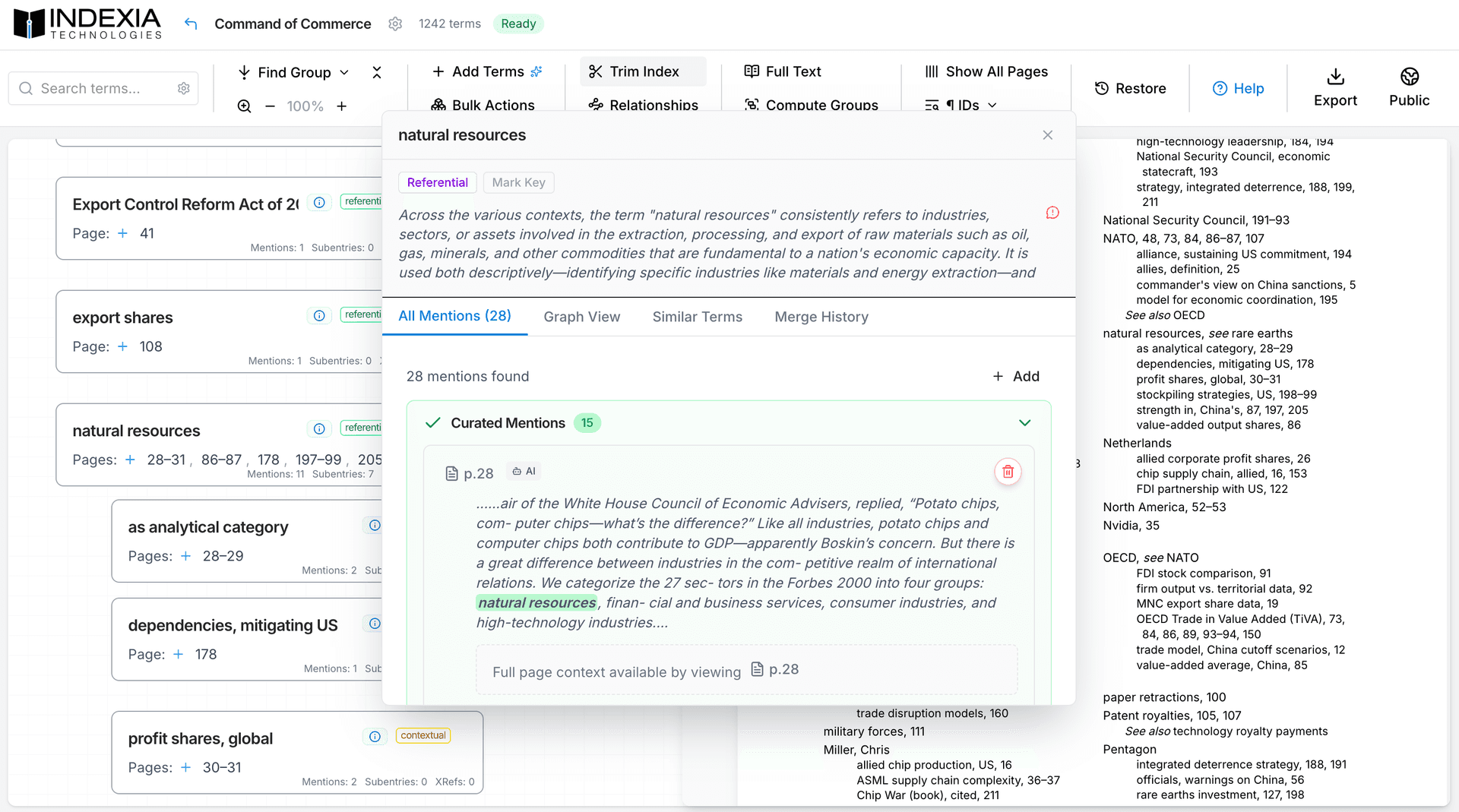
Indexia takes this approach. Rather than requiring you to manually identify every term, Indexia reads your manuscript and extracts terms automatically using thousands of focused AI calls. It then generates subentries, cross-references, and term syntheses, producing a complete draft index that you can review and refine in a full-featured editor.
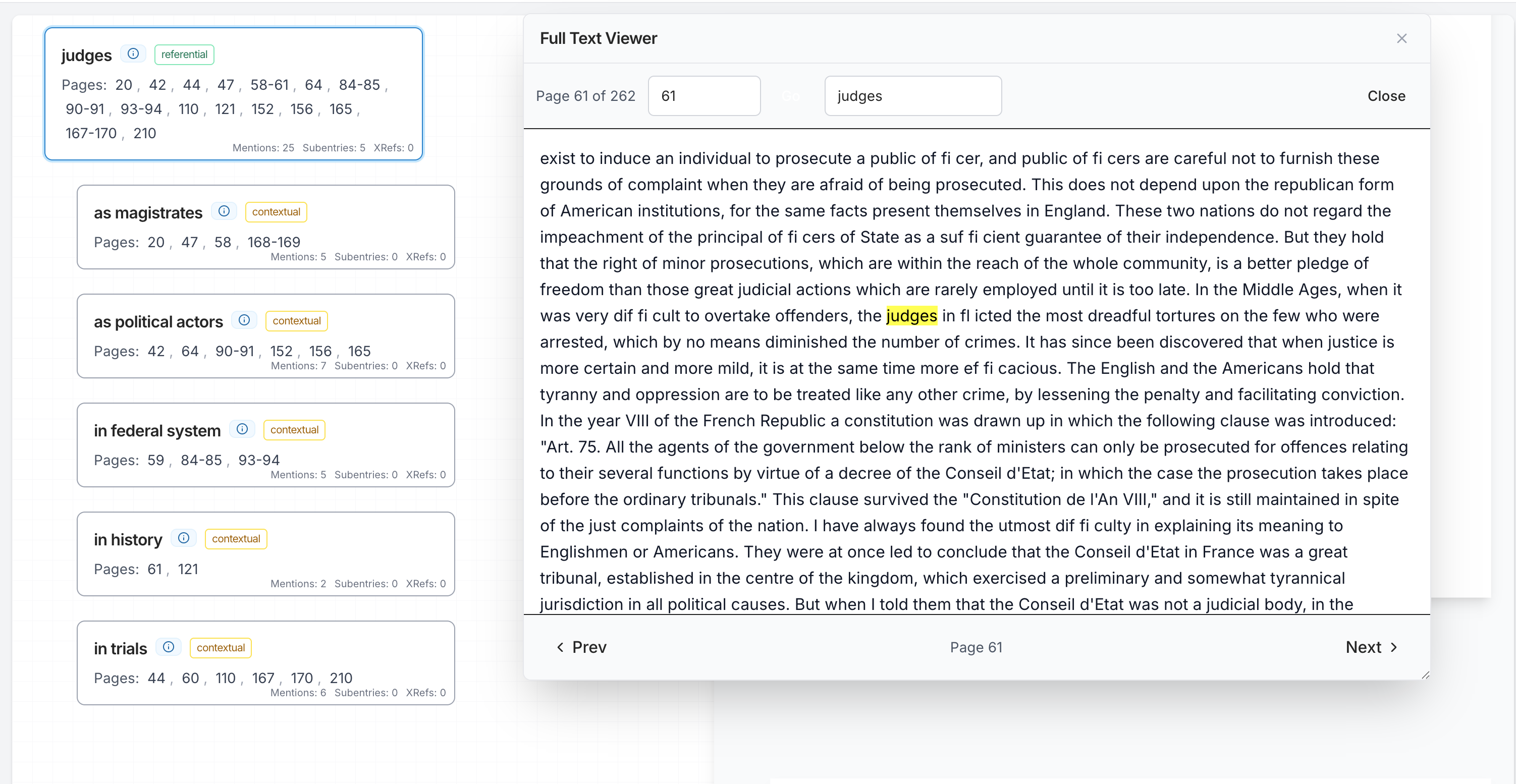
The result is not a black box. Every term links back to the specific passages where it appears, so you can verify accuracy and make adjustments. The process that traditionally takes 10 to 40 hours can be completed in minutes, with the output following Chicago Manual of Style conventions out of the box.
Tips for a Great Index
Regardless of which method or tool you use, these principles separate a good index from a mediocre one:
- Think like your reader, not the author. Index terms your audience would search for, not just the terms you think are important. A medical textbook reader might look up "headache" before "cephalalgia."
- Be consistent with term forms. Pick one form and stick with it. If you use "United States" in one entry, do not use "US" or "America" in another without a cross-reference.
- Use subentries generously. Long strings of undifferentiated page numbers are the hallmark of a lazy index. Break them up.
- Double-check every cross-reference. A "See also" that points to a nonexistent entry is worse than no cross-reference at all.
- Follow CMOS unless told otherwise. The Chicago Manual of Style (Chapter 16) is the definitive guide for back-of-book index formatting. When in doubt, consult it.
- Do not over-index. Not every mention of a term deserves an entry. Index substantive discussions, not passing references. An index that is too long is almost as unhelpful as one that is too short.
Final Thoughts
Learning how to create a book index is a skill that every nonfiction author eventually needs. Whether you take the manual route, hire a professional, or use an AI-powered book index generator, the underlying goal is the same: give your readers a reliable, well-organized way to find what they need in your book.
The good news is that the tools available today make this easier than it has ever been. If you want to skip the weeks of manual labor and get a professional-quality index in minutes, try Indexia free. You can also read our deeper dive on how to index your book using AI for more on what modern AI indexing looks like in practice.