
INDEXIA BLOG
AI Scripture Indexing: Create Professional Bible Reference Indexes in Minutes
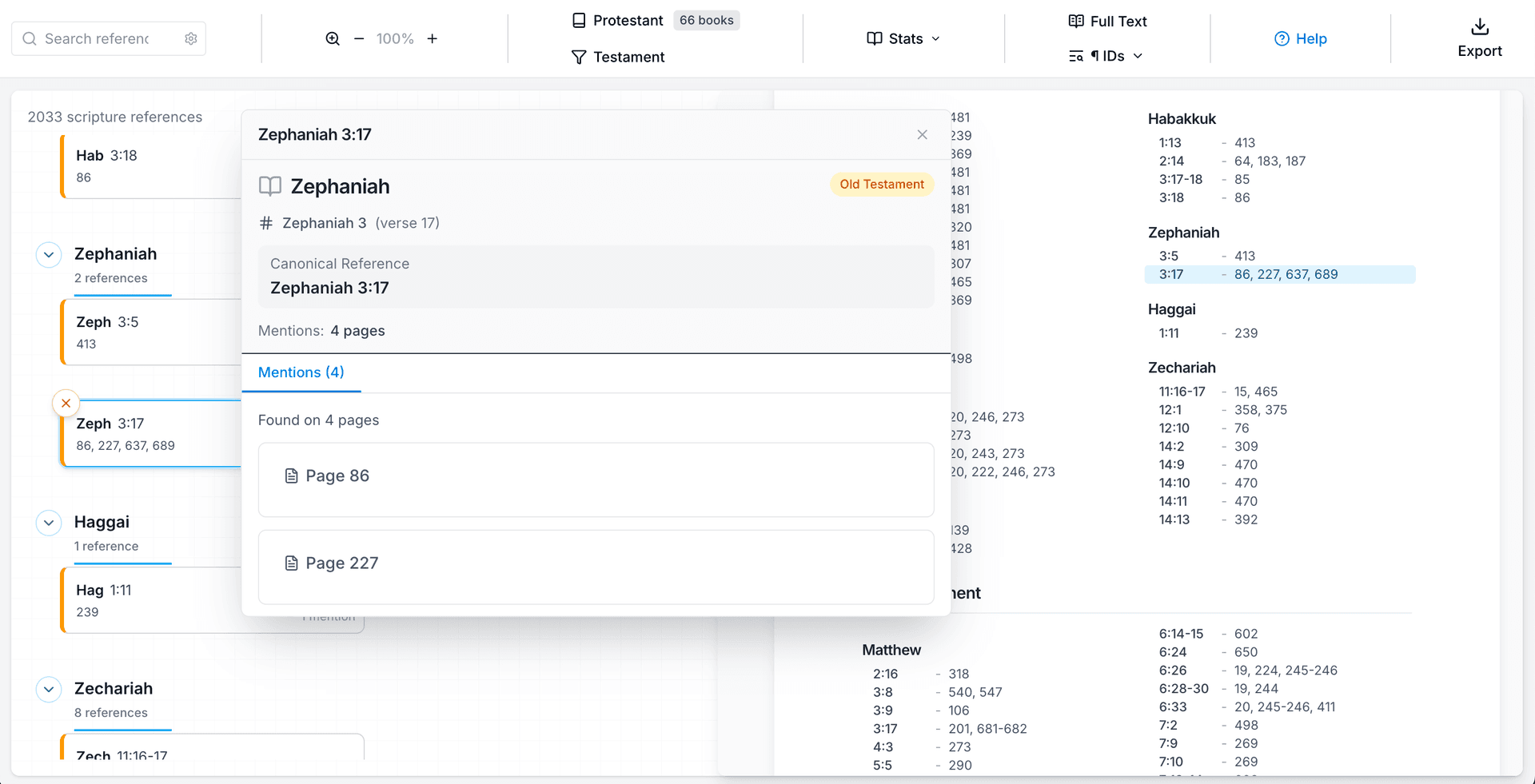
A scripture index is not like a subject index. Subject indexes arrange entries alphabetically. Scripture indexes arrange entries in canonical order: Genesis before Exodus, Matthew before Mark, Romans before Corinthians. This is what readers expect, and what publishers require.
Creating one by hand means reading every page of your manuscript, recording every Bible reference with its page number, then reorganizing the entire list into canonical sequence. For a 300-page commentary, this work can take days.
Indexia automates this process.
The Result
Upload your manuscript. In about 30 minutes, you receive a complete scripture index with every Bible reference found and organized in canonical order.
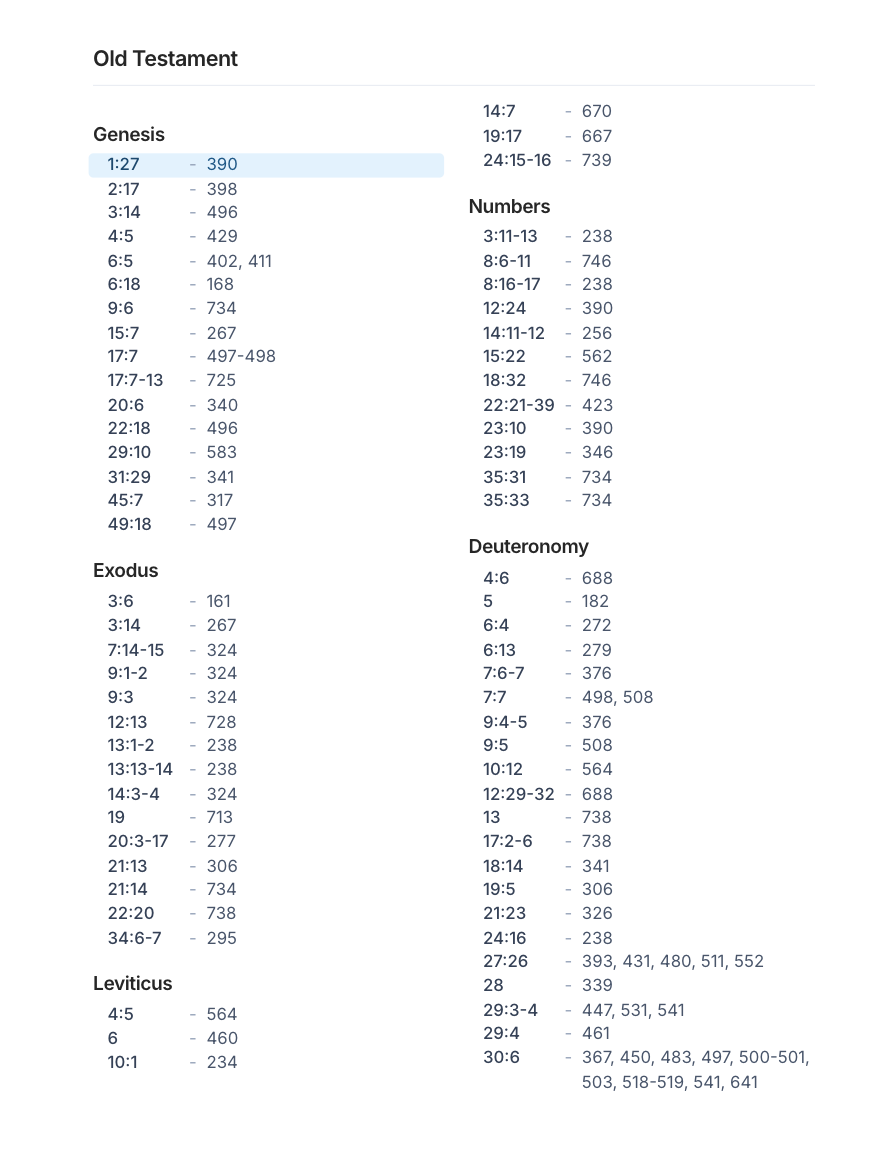
The index follows standard conventions. Each entry consists of the book name, chapter, and verse, followed by page numbers. Ranges appear as you would expect (3:1-5, not 3:1ff.). Export to Word, RTF, or plain text. Drop it into your manuscript.
How It Works
Select "Scripture Index" when creating your project. Upload your PDF. The AI reads your entire manuscript and identifies every scripture reference, whether formatted as John 3:16, Jn 3:16, or any common abbreviation.
References are then sorted into canonical order. This is not alphabetical sorting. Acts comes after John, not before. Romans comes before 1 Corinthians. The ordering follows the canon you select.
Review and Edit
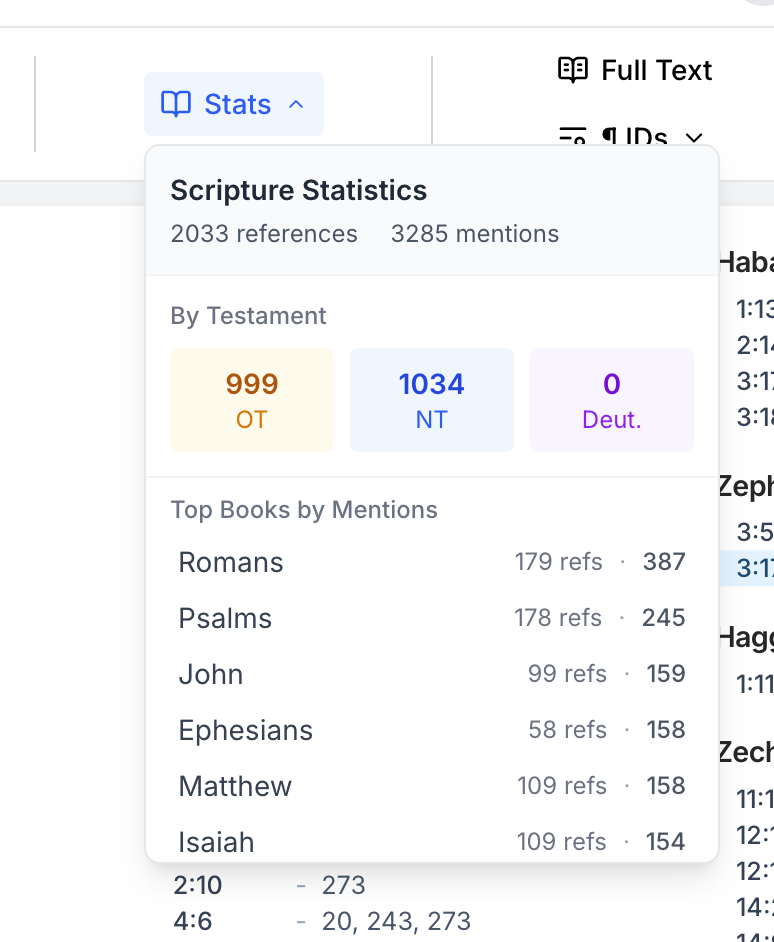
Most users export immediately. But if you want to review or edit, you have full control.
The statistics panel shows what the AI extracted: total references, how they divide between Old and New Testament, and which books appear most frequently. This gives you a quick sense of whether the extraction captured your manuscript accurately.
You can also click any reference to see it in its original context. This is useful for verifying citations or checking how references appear in your text.
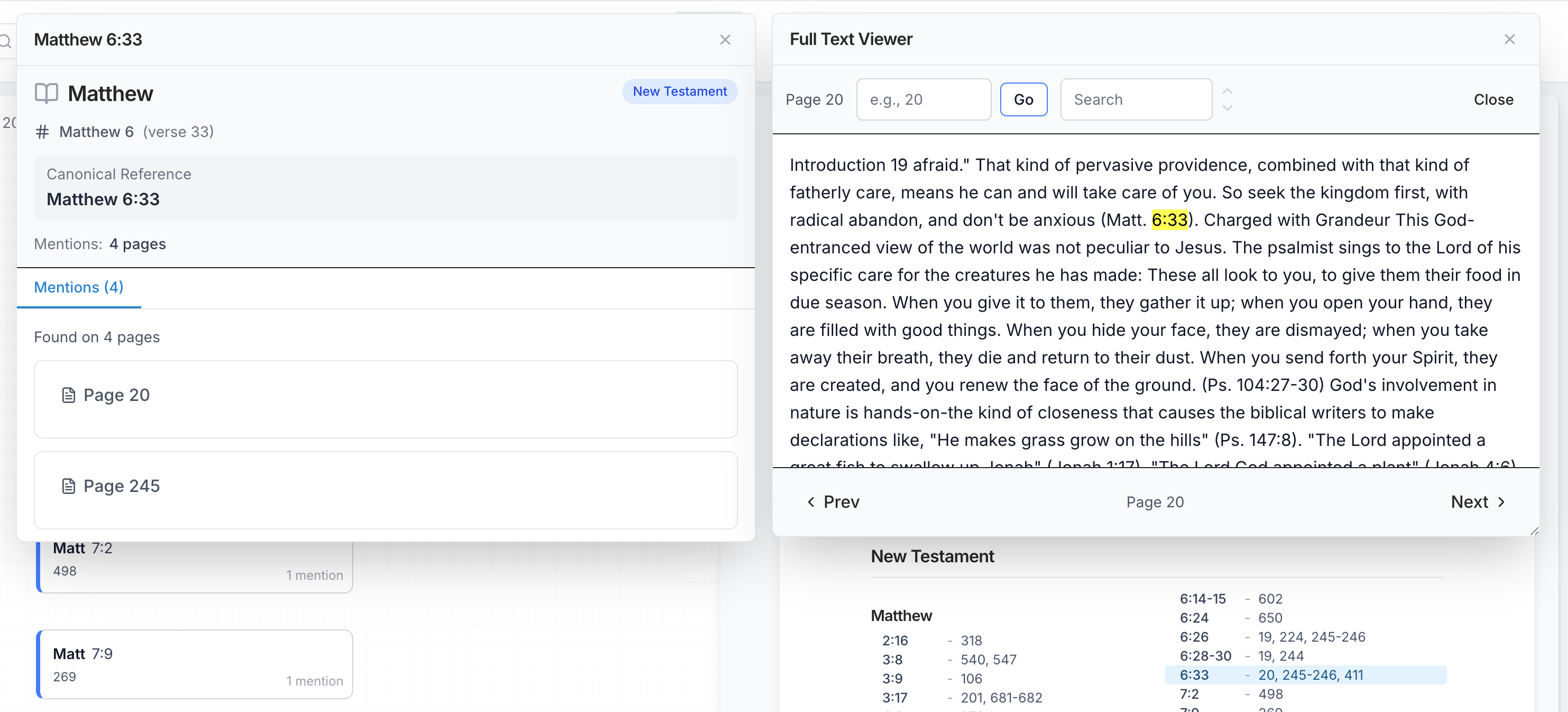 Click any reference to see exactly where it appears in your manuscript.
Canon Support
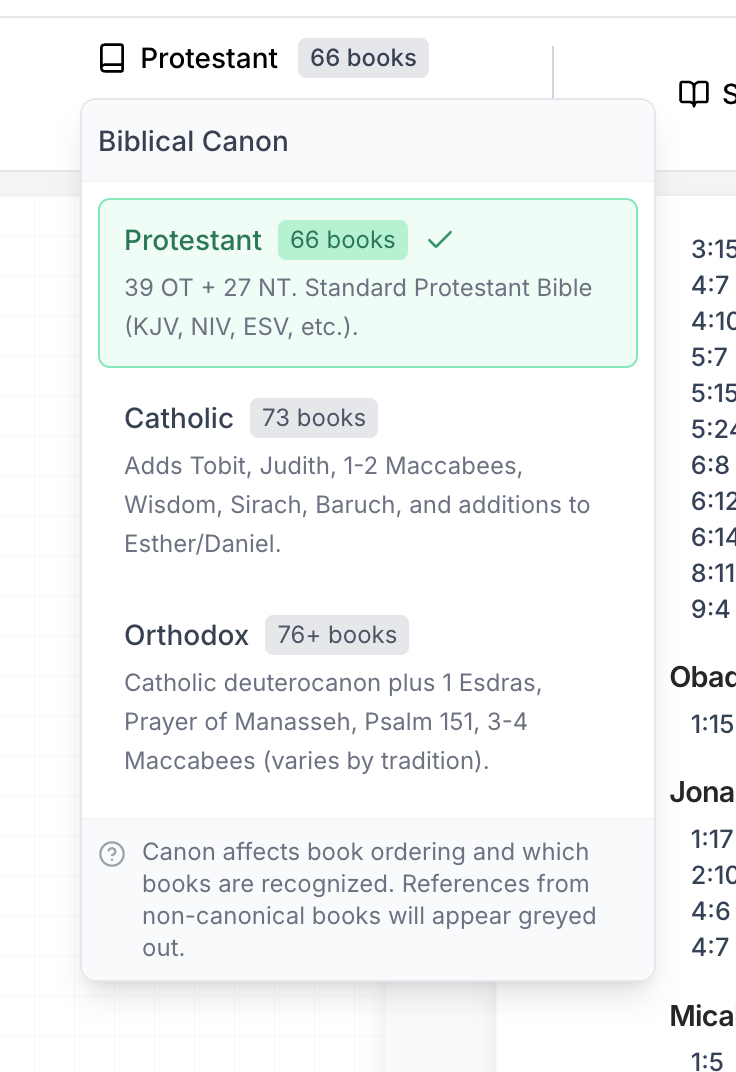
Different traditions use different canons, and the canonical order varies accordingly.
Protestant canon: 66 books. The standard ordering used in most English Bibles (KJV, NIV, ESV).
Catholic canon: 73 books. Includes the Deuterocanonical texts (Tobit, Judith, Wisdom, Sirach, Baruch, 1-2 Maccabees) and additions to Esther and Daniel.
Orthodox canon: 76+ books. Includes additional texts such as 1 Esdras, Prayer of Manasseh, Psalm 151, and 3 Maccabees.
Select your tradition when creating the project. References to books outside your selected canon will appear grayed out, making them easy to identify.
Formatting
The index follows the formatting conventions expected by publishers. Chapter and verse numbers use standard notation (Genesis 1:1, not Genesis i.1). Verse ranges appear in full (3:1-5) rather than abbreviated forms (3:1ff.). When verses are split in the source text (as in 1:2a, 1:2b), these distinctions are preserved.
Book names follow common English forms. Song of Solomon may also appear as Song of Songs. Revelation appears as Revelation, not Revelations.
Who Uses This
- Commentary authors with thousands of scripture references
- Theological writers engaging multiple testaments and traditions
- Seminary students preparing dissertations
- Religious publishers producing reference works
Get Started
Upload your PDF at indexia.tech/editor/new?type=scripture.
Questions? Contact admin@indexia.tech